

— 5 reading minutes
The situation is almost always the same. You have a custom Symfony application with its own business logic, authentication, and users. It works. Then someone from the marketing team asks whether they can update the landing page copy without opening a ticket.
Think about LinkedIn. Once you log in, you have access to the entire social network and all its functionality. Before you log in, there are a number of pages explaining what LinkedIn is, what it's for, and why you should sign up. Those are the pages that almost no technical team considers when designing the application's architecture, yet they're exactly the ones the marketing team wants to update every week.
The usual solution is to set up a separate WordPress installation on another server, often under a different domain or subdomain. It's not a terrible idea—sometimes it's the fastest option, and each team gets to work with the tools they already know. But you end up with two systems, two deployment pipelines, two attack surfaces to maintain, and two places to investigate whenever something breaks.
This article is about the alternative: integrating the CMS into the application you already have. No replatforming, no architectural overhaul, and no need for the content team to depend on you for every single text change.
If you're still deciding which CMS to use, you'll find a full comparison of Armonic, Sulu, Ibexa, Drupal, and Grav in CMS for Symfony. Here, we'll assume you've already made that decision and focus on how to integrate it.
What It Means for a CMS to Be a Bundle
The difference between Drupal or WordPress and a CMS bundle isn't about size—it's about direction. With a platform, you enter its world: its routes, its entities, its forms, its rendering layer, and its permission system. Even if it uses Symfony components under the hood, you're not developing with Symfony; you're developing inside Drupal.
A CMS distributed as a bundle works the other way around. You install it with Composer inside your application, it runs in the same runtime, and it uses the same database connection. Your routes remain yours. Your templates remain yours. Your domain layer doesn't even know it's there. What you gain is a set of entities, controllers, and administration screens for managing content, all integrated into the admin panel you already have.
In practice, you'll end up with a single administration panel: on one side, your application's own features, users, orders, or whatever your business requires, and on the other, content management tools for users with the appropriate role.
4 Things to Check Before Installing Anything
Installing the bundle is just a single command. The real work lies in everything around it, and it's worth reviewing those details before you get started.
-
Your base template. An integrated CMS expects its views to inherit from a compatible layout. If your
templates/base.html.twighas been heavily customized, this is where you'll need to decide which template extends which. It's not difficult, but it's the step that catches most people by surprise. -
Languages. A multilingual CMS needs Symfony to know which locales are enabled (
framework.enabled_locales). If your application is currently monolingual but your content will be available in multiple languages, configure this before creating dozens of pages. -
Database migrations. The CMS adds its own tables to your database. If you already have a well-defined migration workflow, this is straightforward. If you've been applying schema changes manually in production, fix that first. Trust me—I learned that one the hard way.
-
Roles and permissions. You'll be giving people access to an administration panel who may never have logged into your application before. Decide which roles should have access to the CMS—and which shouldn't—before handing out the first credentials.
Installation, Step by Step
The commands currently listed in the README and on Packagist point to the 5.4 dev branch, while the documentation refers to version 6.0 and the latest release is 5.5.9. We need to decide which version to recommend and update this section with the correct commands. Publishing a tutorial with commands that don't work is worse than not publishing one at all.
In any case, the installation process follows these steps:
- Install the bundle with Composer in your existing Symfony application.
- Let Symfony Flex register the recipe and generate the base configuration.
- Run the database migrations to create the CMS tables.
- Adjust your base template and configure the enabled locales.
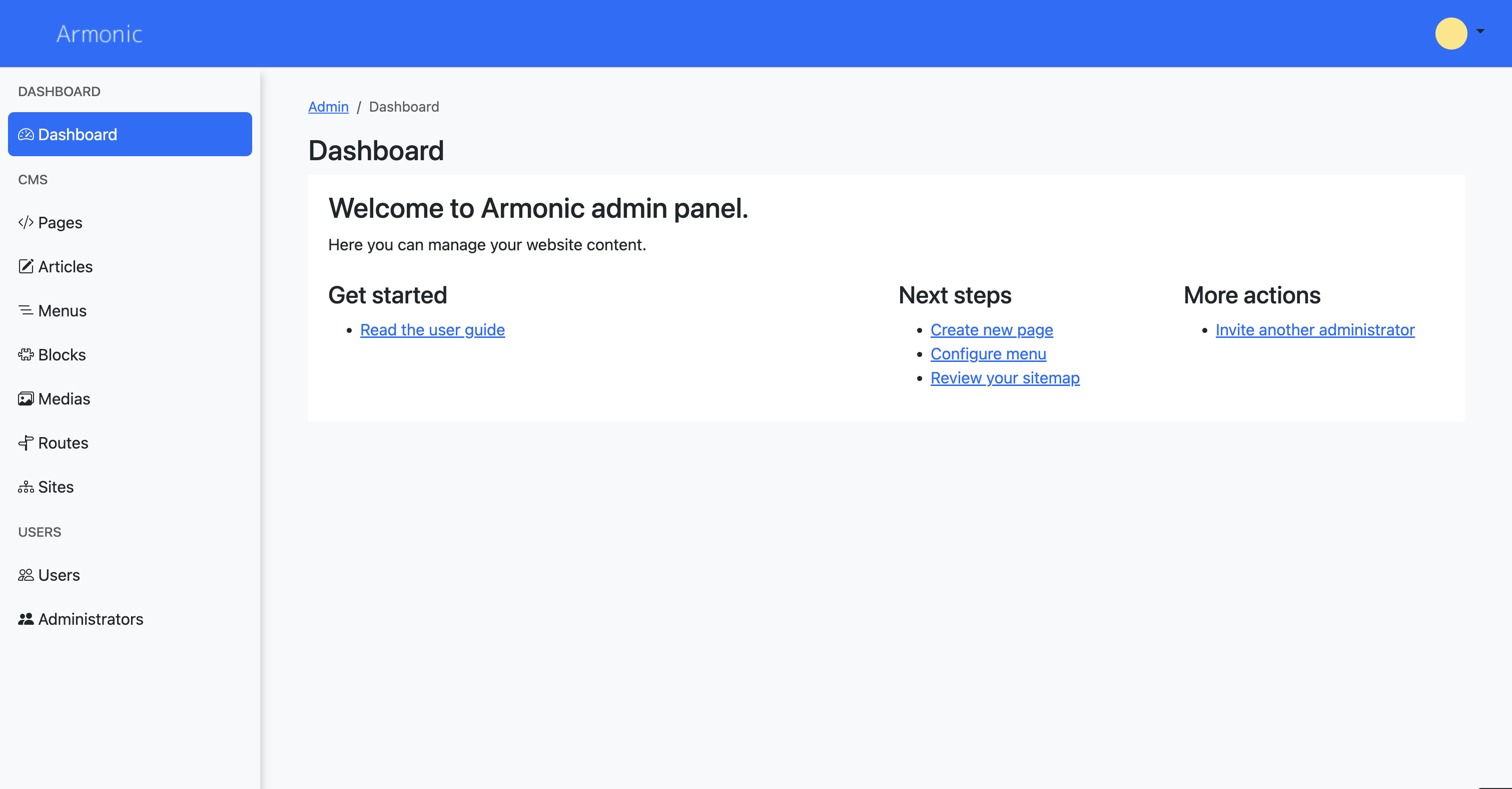
- Open the CMS administration interface and create your first page.
If you'd like to try it before making changes to your own project, the standalone edition provides a clean installation you can experiment with safely.
What You'll Build First
An Armonic page isn't just one large text field. It's built from reusable modules: you define layouts with the block structure you need, and the content team assembles pages by combining those modules. Blocks that appear across multiple pages—such as a header, a contact section, or a notice, are defined once and reused wherever they're needed.
Content types are defined in YAML files stored in your repository. That means any change to your content structure goes through Git, code review, and your CI pipeline, just like any other code change. It also ensures your environments stay in sync.
Versioning saves a new revision every time content changes, not just when it's published. Editors can preview changes before publishing and roll back to a previous version if needed. For a marketing team working independently, that safety net is often what gives them the confidence to update the website themselves.
What You Won't Find
Armonic is a coupled CMS, and that comes with trade-offs you should be aware of before installing it:
- It isn't headless out of the box. If you need to deliver the same content to a native app or a decoupled frontend, you'll need to build that layer yourself.
- It doesn't include a frontend search engine.
- Approval workflows are intentionally simple: versioning, publishing, and unpublishing, without a multi-step review process.
If those three features are requirements rather than nice-to-haves, take a look at Sulu or Ibexa in the comparison. It'll save both of us some disappointment.
When It Makes Sense
This approach makes sense when your custom application is the core of your product and content plays a supporting role, when the team maintaining the application is also responsible for maintaining the CMS, and when you want your content to integrate directly with your business entities without introducing an intermediate API. It's what we find in most of the projects we maintain as a Symfony development company.
If that sounds like your project, Armonic is open source and available on GitHub. Install it, break it, and tell us what's missing. The documentation is public, and the issues are open.
And if you'd rather review your setup with us before making changes in production, get in touch at hola@softspring.es.